#
Swap
#
How to Swap your tokens using TagPay's wallet.
Once you have connected and logged in to your wallet, navigate to the swap via the menu and follow these steps:
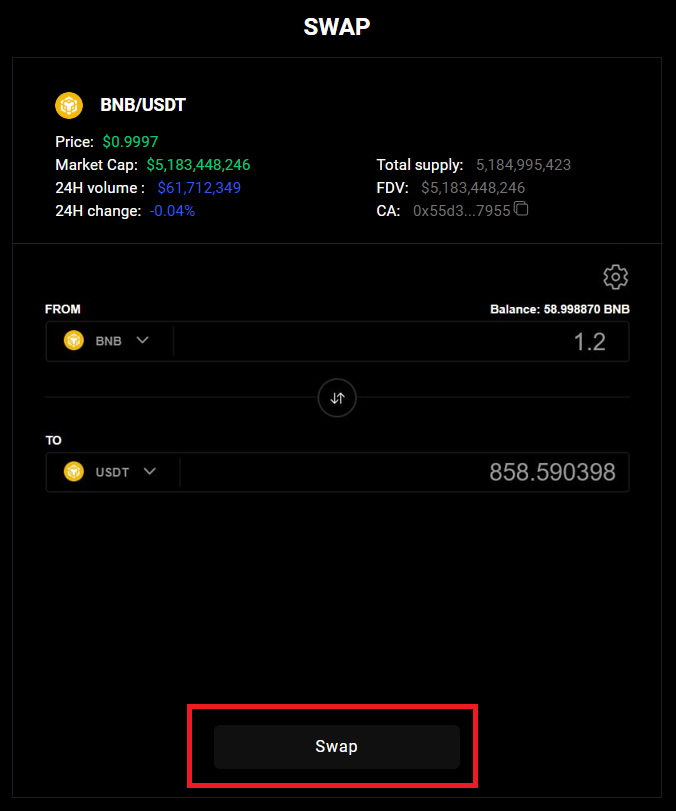
Select the blockchain you wish to use to swap the funds.
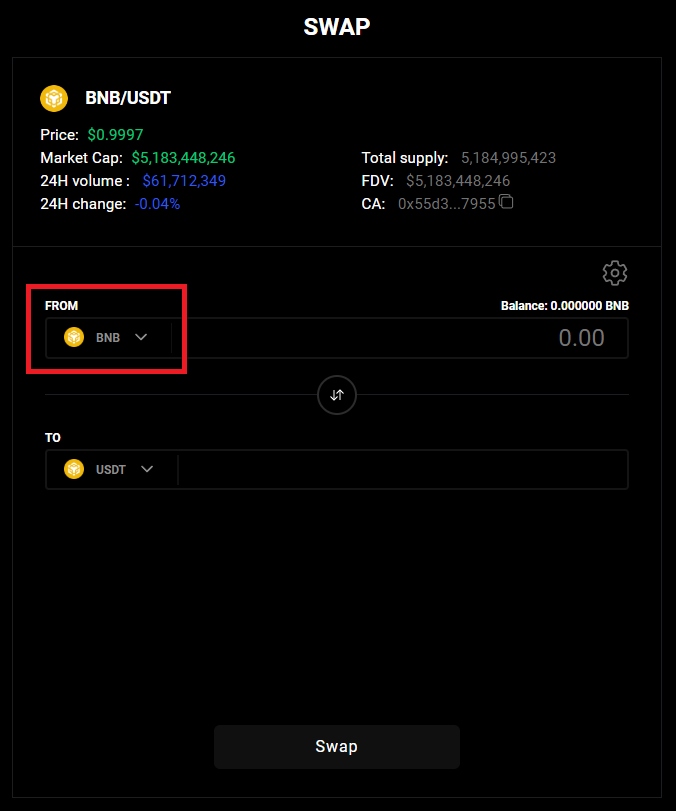
Enter the amount you wish to swap.
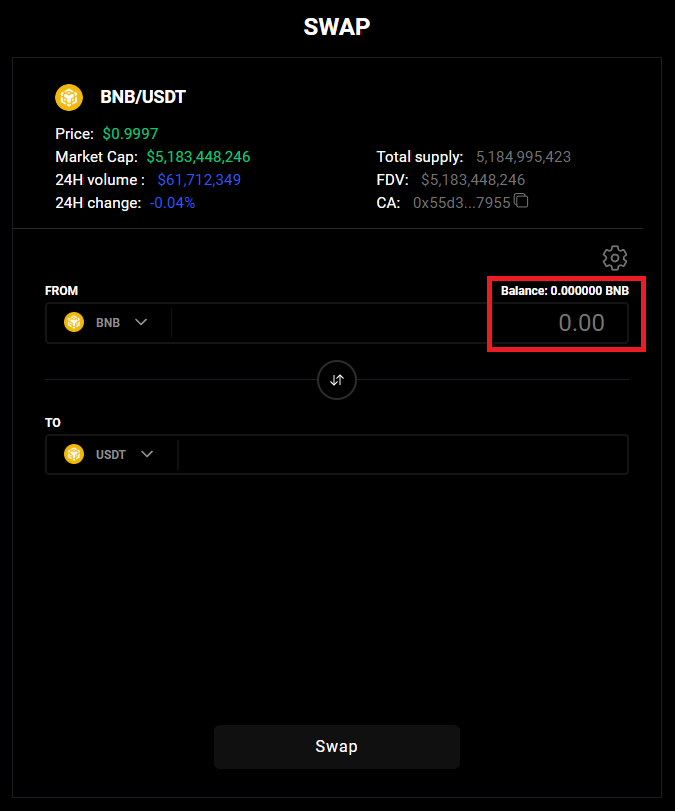
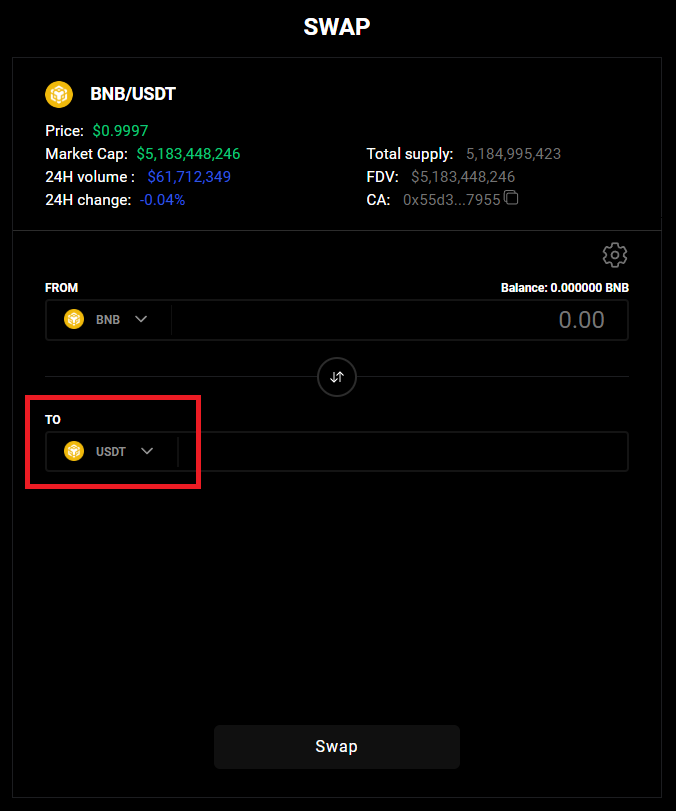
Select the blockchain that you wish to receive funds.
Optional: You can adjust the slippage by toggling the “settings” at the top right-hand corner of the swap module – please ensure that you have sufficient slippage to ensure a successful transaction, we recommend the default slippage.
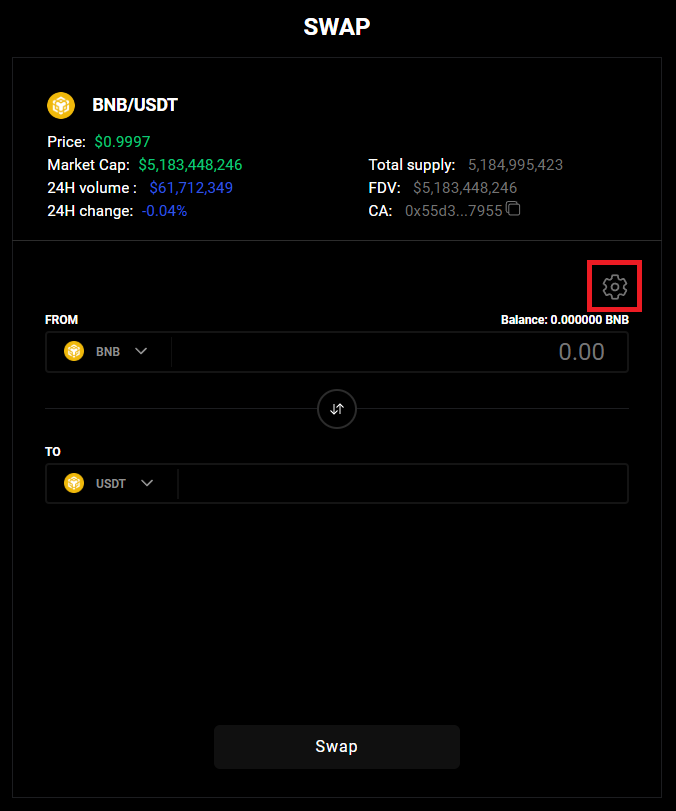
Within the "Slippage" section, you have 2 options to select from:
👉 Automatic - this detects and selects the slippage amount automatically, and has the highest chance of transaction success.
👉 Manual - you can select this and set the slippage by dragging the slider, or inputting a "%" in the input field.
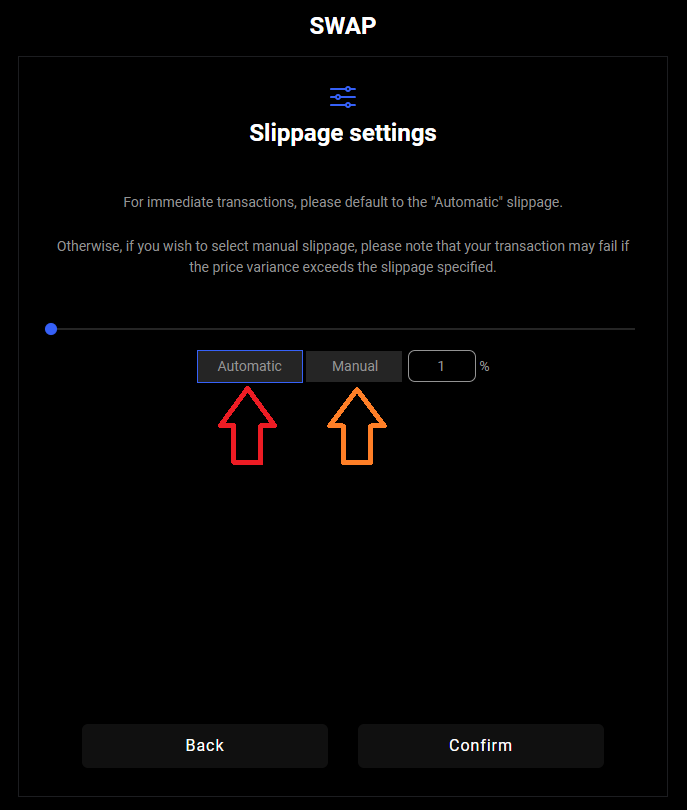
Once you have decided on your preferred slippage method, press "Confirm" to proceed back to the Swap screen.
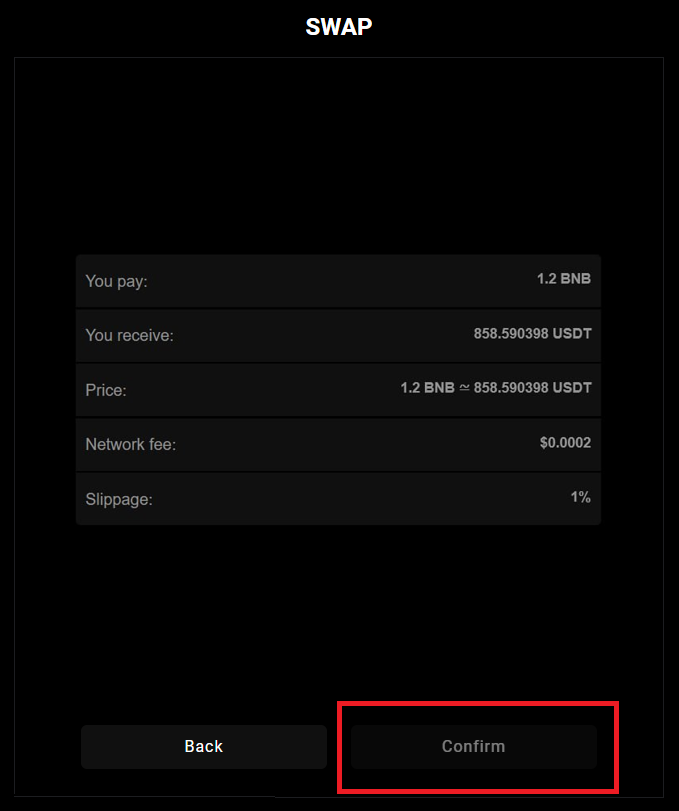
Click “Swap” to proceed to the Summary screen to review your transaction.
Click “Confirm” to initiate the swap and wait for the transaction to process.
Once the transaction has been completed, your funds should be received and your balance reflecting the change.